Discover the 15 Best POS Applications in Indonesia for 2026 (Android & Cloud POS)
Find the best Point of Sales (POS) applications in Indonesia that are practical, modern, and suitable for SMEs up to multi-branch businesses.
Read also: Why Cloud POS Applications Are Safer Than Offline Cash Registers
In today’s digital era, a POS application is no longer just a transaction calculator. It has become the central control system of a business — from sales recording, inventory management, financial reporting, to QRIS integration and digital payments.
Whether you run a retail store, coffee shop, restaurant, cloud kitchen, or SME business, choosing the right POS application will significantly impact your operational efficiency and business growth.
However, with so many POS applications available in Indonesia, it’s understandable that business owners may feel confused about which one best fits their needs.
That’s why we’ve compiled a list of the 15 best POS applications in Indonesia for 2026, both free and paid, available on Android & iOS, complete with feature overviews, strengths, and limitations.
---
What Is a POS Application (Point of Sales)?
A POS (Point of Sales) application is a system used to digitally record sales transactions.
More than just calculating totals, modern POS applications can:
- Automatically manage inventory
- Generate sales reports & profit/loss statements
- Manage employees and branches
- Accept digital payments & QRIS
- Provide data-driven business insights
For this reason, POS applications have become a crucial foundation for business digitalization, especially in retail and F&B sectors.
---
Must-Have Features of the Best POS Applications in 2026
Before choosing a POS system, make sure it includes the following features 👇
Key Features of a Modern F&B POS System
| Essential Feature | Business Benefit |
|---|---|
| QRIS & QR e-wallet support | Faster transactions & fewer discrepancies |
| Dynamic QRIS POS | Every transaction recorded automatically |
| Automatic inventory tracking | Prevent overstock & stockouts |
| Recipe inventory management | Accurate for restaurants & cafés |
| Real-time reporting | Owners can monitor via smartphone |
| Online & offline POS mode | Works even without internet |
| Multi-outlet POS | Ideal for branch businesses |
| Smart analytics POS | Data-driven decision making |
| Automatic bookkeeping POS | Saves admin time |
---
15 Best POS Applications in Indonesia for 2026
1. ReBill POS – Modern POS for SMEs & Growing Businesses (Top Recommendation)
ReBill POS is a cloud-based POS application specifically designed for Indonesian SMEs that want to scale up — simple to use, yet powerful in reporting and business control.
This POS system is built for businesses with specific workflows that conventional POS applications often cannot accommodate.
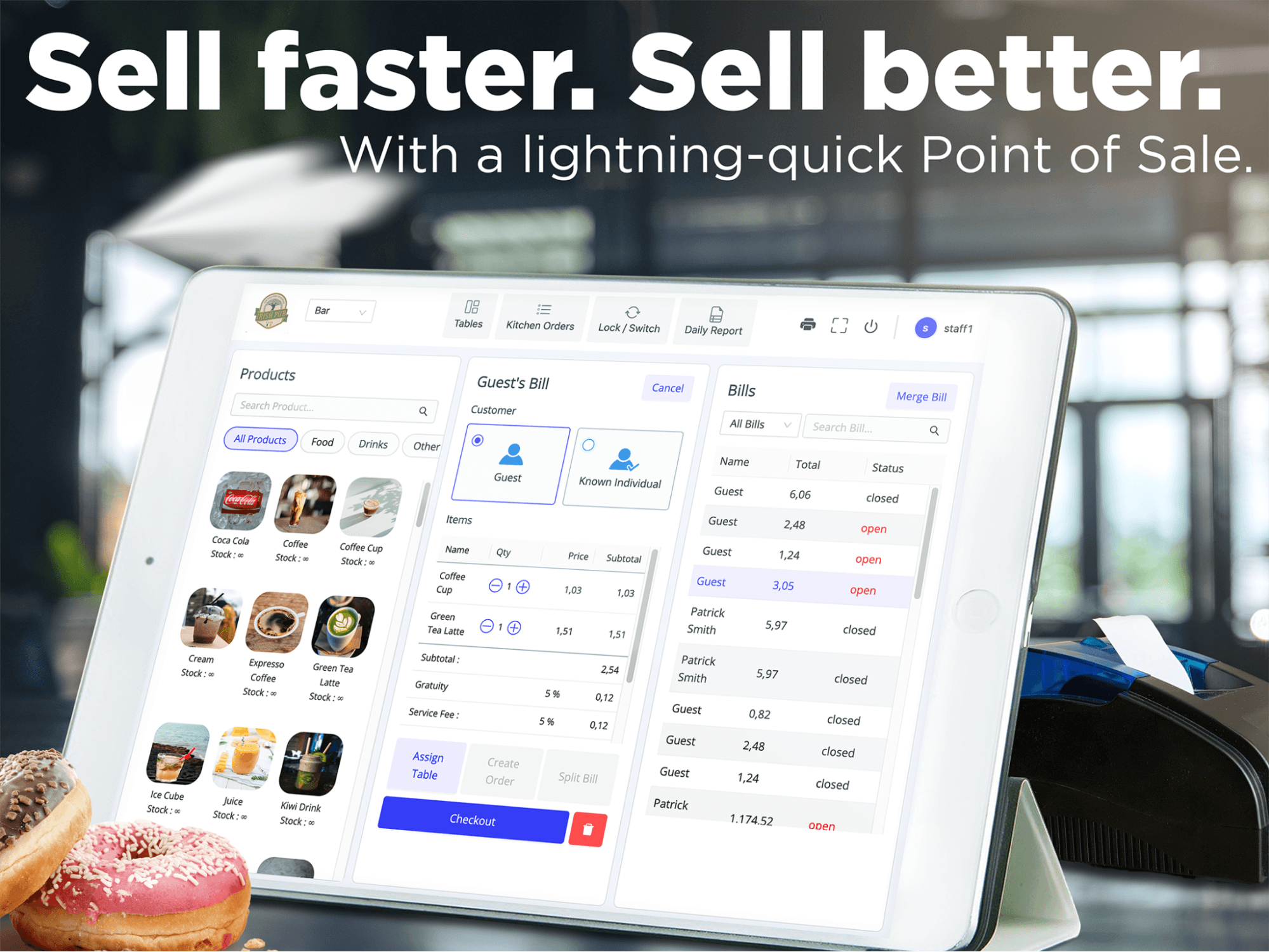
You can Download the POS application on Android
Why Consider ReBill?
Unlike POS systems that focus only on transactions, ReBill is designed as a complete daily business operating system.
Key Features of ReBill:
✅ Fast & intuitive cashier interface (Android & tablet) ✅ QRIS integration (all payments recorded automatically) ✅ Real-time inventory management ✅ Automatic sales & profit reports ✅ Remote business monitoring (cloud dashboard) ✅ Suitable for retail stores, F&B, events, and multi-outlet businesses
Advantages of ReBill:
- Simple interface → easy for new staff
- Clean and easy-to-read reports for owners
- Hassle-free setup
- Designed specifically for Indonesian SMEs
From laundry package systems, complex commission schemes, to detailed F&B recipe management — everything can be configured to match your workflow precisely.
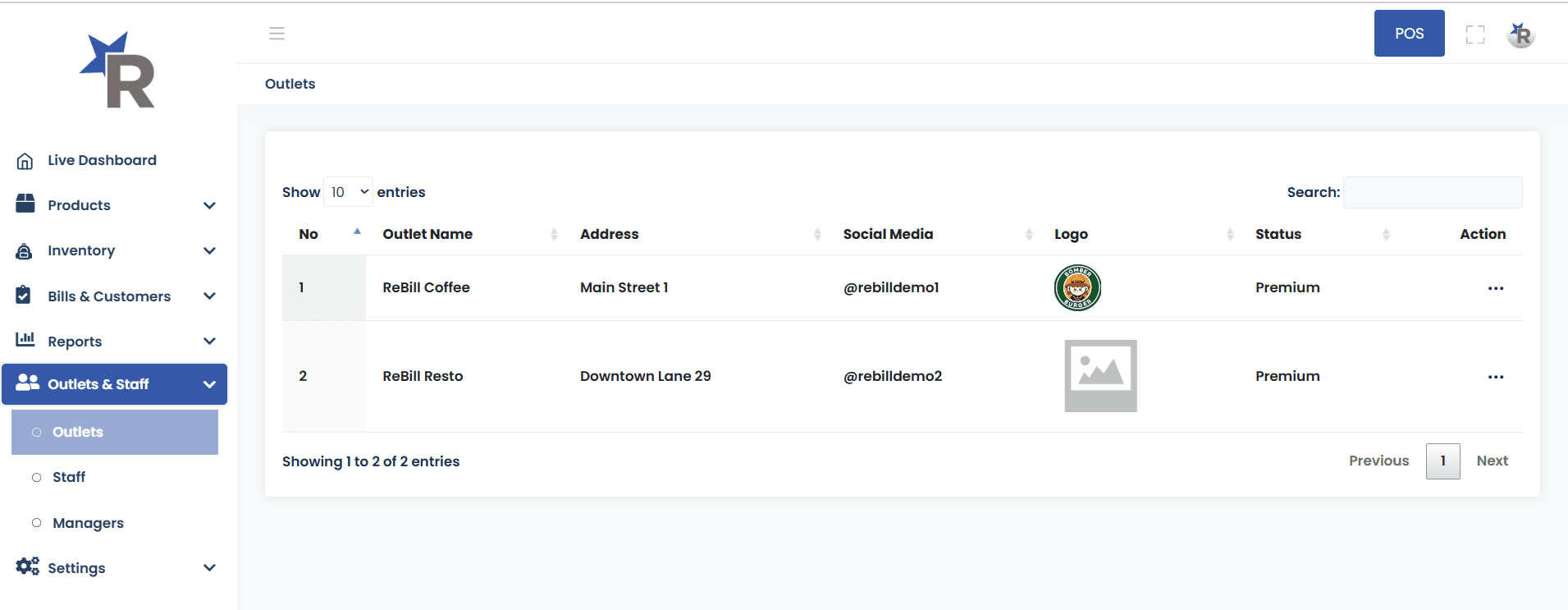
Instead of just imagining it, experience how a flexible POS system works. We give you instant access to “take over” a demo business dashboard.
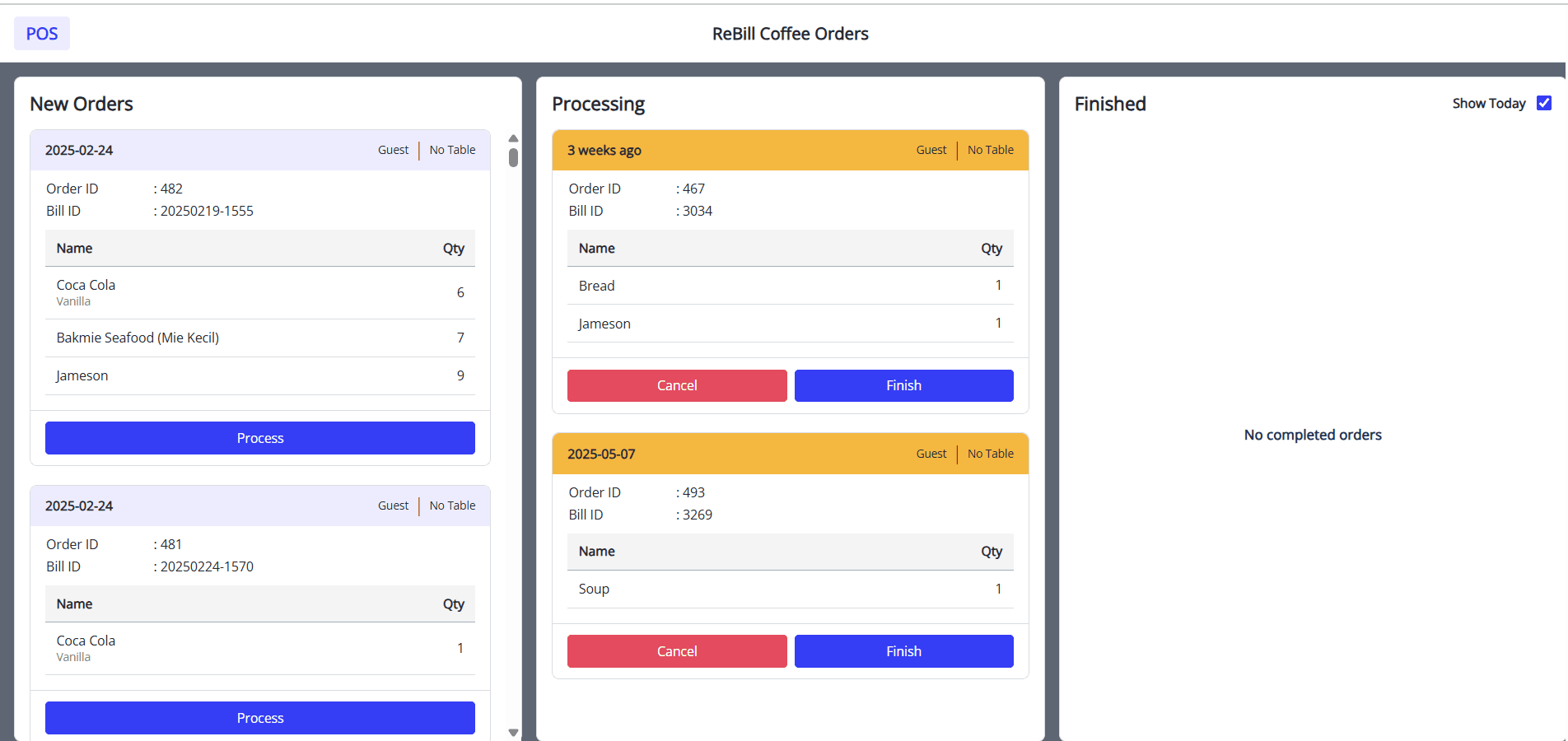
Click the button below and you’ll be taken directly to the main dashboard — as if you were the owner.
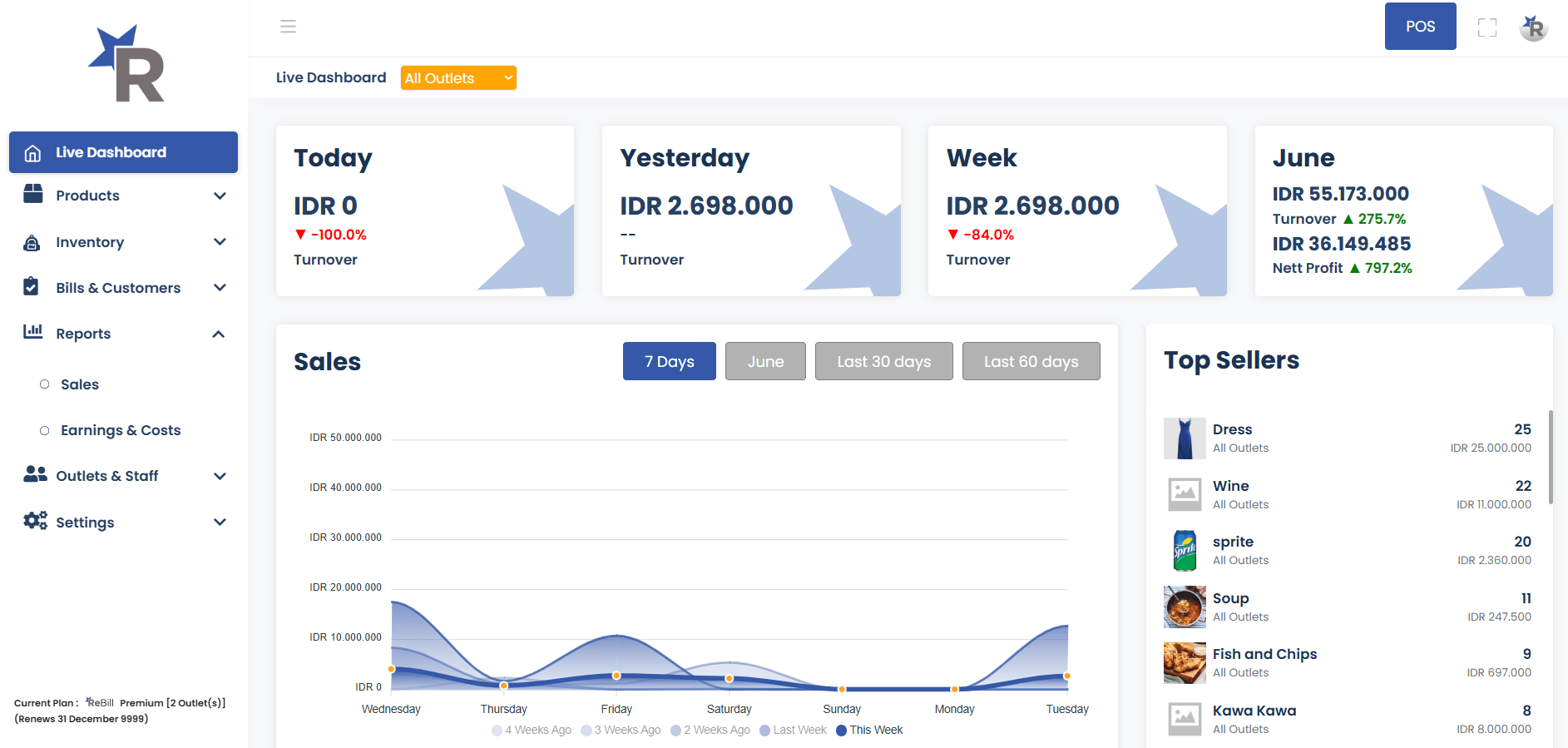
No registration required. No waiting time. Explore the features, review the reports, and feel the simplicity right now.
---
2. Jurnal Touch (Mekari)
Jurnal Touch is a POS integrated with Mekari’s accounting system.
Pros:
- Synchronizes with accounting reports
- Suitable for businesses with finance teams
Cons:
- More complex setup
- Less practical for small SMEs needing fast cashier operations
---
3. Kasir Pintar
A popular POS app with both free and paid versions.
Pros:
- Free basic features
- Suitable for new small businesses
Cons:
- Limited reporting in free version
- Less optimal for growing businesses
---
4. Moka POS
A cloud POS widely used in F&B.
Pros:
- Stable system
- Suitable for multi-branch businesses
Cons:
- Higher pricing
- Some SMEs find it too feature-heavy
---
5. Pawoon
A simple POS with a modern interface.
Pros:
- Easy to use
- Ideal for small cafés & restaurants
Cons:
- Limited advanced features for scaling
---
6. Olsera POS
An omnichannel POS (offline & online).
Pros:
- Supports online & offline sales
- Many additional features
Cons:
- Steeper learning curve for beginners
---
7. Qasir
A popular Android POS for SMEs.
Pros:
- Lightweight & easy to use
- Supports digital payments
Cons:
- Reporting not as detailed as advanced POS systems
---
8. iSeller
Omnichannel POS for mid-sized businesses.
Pros:
- E-commerce integration
- Suitable for retail brands
Cons:
- Less ideal for small businesses needing simple POS
---
9. Vend POS
An international iPad-based POS.
Pros:
- Modern UI
- Suitable for fashion retail
Cons:
- Less localized for Indonesian SMEs
---
10. TruePOS
Flexible POS for various business scales.
Pros:
- Offline capability
- Multi-device support
Cons:
- Interface less modern
---
11. ConnectPOS
Global omnichannel POS.
Pros:
- Suitable for large retail businesses
Cons:
- Overkill for small SMEs
---
12. Square POS
Global POS with digital payments.
Pros:
- Strong reporting
- Many integrations
Cons:
- Not fully adapted to Indonesia’s ecosystem
---
13. Octopus POS
POS for small-to-medium retail.
Pros:
- Good inventory management
Cons:
- Less popular → limited user community
---
14. EQUIP POS
Cloud POS with multi-location support.
Pros:
- Suitable for growing businesses
Cons:
- Initial setup requires adaptation
---
15. Omega POS
POS with customer analytics.
Pros:
- Detailed customer data
Cons:
- Better suited for mature businesses
---
Quick Comparison Table
| Application | Best For | Main Strength |
|---|---|---|
| ReBill POS | SMEs & F&B | Simple, QRIS, clean reporting |
| Jurnal Touch | Business + Accounting | Finance integration |
| Kasir Pintar | Small businesses | Free & easy |
| Moka POS | Multi-branch | Stable |
| Pawoon | Small cafés | Simple UI |
---
Conclusion
Each POS application has its own strengths.
However, if you are looking for a POS system that is easy to use, relevant for Indonesian SMEs, and ready to deploy without hassle, ReBill POS is one of the most rational and efficient choices.
Not the most complicated — but highly functional.
With cloud-based ReBill POS, you don’t just get an efficient cashier system, but also a system that is:
✅ Secure from data loss ✅ Accessible from anywhere ✅ Automatically backed up and updated ✅ Transparent and measurable
If you’re still hesitant to move from an offline cashier system, now is the time. Upgrade your business with a secure, modern POS system built to grow with you.
Try the Free ReBill POS Demo now and experience the difference yourself. If you’re ready to implement ReBill in your business, you can contact ReBill POS.