What is Inventory Management: Definition, Functions, Benefits, and How to Manage It Effectively
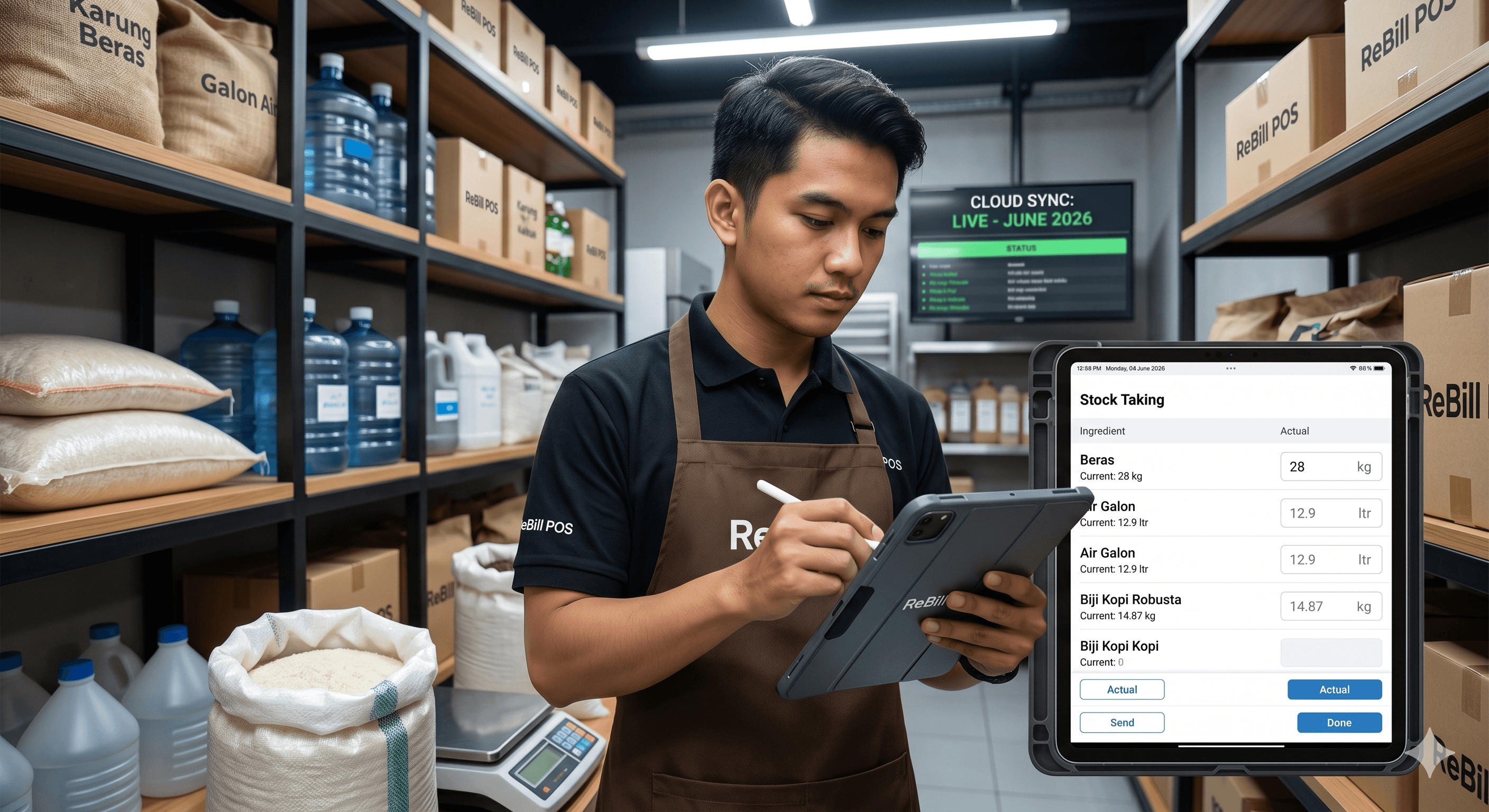
Inventory management is the process of ordering, storing, tracking, and controlling a company's inventory to ensure the right amount of stock is always available to meet business demands.
Through effective inventory management, a company can guarantee product availability, minimize the risk of running out of items (*stockouts*), prevent the accumulation of unsold goods (*overstock*), and ultimately boost operational efficiency. This system is the backbone of various industries, including retail stores, restaurants, cafes, convenience stores, warehouses, distributors, and manufacturing plants.
Inventory Management at a Glance
| Aspect | Explanation |
|---|---|
| Definition | The systematic process of managing and controlling stock levels. |
| Primary Goal | To maintain an optimal stock balance at all times. |
| Key Benefits | Reduces operational losses and significantly increases efficiency. |
| Main Users | Retailers, restaurants, cafes, warehouses, distributors, manufacturers. |
| Essential Tools | *Inventory management software* / Cloud POS Systems. |
---
Why is Inventory Management Important?
Inventory is often one of the largest assets a business holds. Without proper tracking and management, your business is highly vulnerable to critical issues, such as:
- Running out of stock during peak demand periods.
- Piling up unsold goods that tie up your working capital.
- Severe discrepancies between system records and physical stock on the shelves.
- Poor purchasing decisions (e.g., reordering items you already have too much of).
- Financial losses due to damaged, spoiled, or expired goods.
Because of these risks, inventory management is a non-negotiable pillar of modern business operations to keep profitability healthy.
---
Core Functions of Inventory Management
1. Controlling Stock Levels An inventory system helps businesses track exactly how much stock they have in *real-time*, making reordering decisions highly accurate rather than based on guesswork.
2. Reducing the Risk of Stockouts A *stockout* happens when you run out of an item right when a customer wants to buy it. Proper inventory management triggers alerts so you know exactly when to replenish your goods.
3. Preventing Overstock Holding too much inventory clutters your storage space, increases holding costs, and raises the risk of products becoming obsolete or expiring before they can be sold.
4. Improving Data Accuracy Every inbound and outbound item is automatically logged into the system. This drastically minimizes the *human errors* that constantly plague manual pen-and-paper tracking.
5. Aiding in Strategic Decision Making
Accurate inventory data empowers business owners to:
- Identify their best-selling products.
- Forecast future trends and stock requirements.
- Plan purchasing budgets effectively.
- Optimize warehouse and shelf capacity.
---
Types of Inventory
Understanding the different types of inventory helps you apply the right management methods:
- Raw Materials: The essential building blocks used in production. Example: Coffee beans for a coffee shop, or flour for a bakery.
- Work In Progress (WIP): Partially finished goods that are still in the production phase and not yet ready for sale.
- Finished Goods: The final products that are fully ready to be sold directly to consumers.
- Maintenance, Repair, and Operations (MRO): Supplies needed to keep the business running daily. Example: Packaging materials, cleaning supplies, and office stationery.
---
Common Inventory Management Methods
FIFO (First In, First Out) The goods that enter your warehouse or store first are the ones sold or used first. This method is incredibly effective for restaurants, cafes, pharmacies, and grocery stores to reduce the risk of products expiring.
FEFO (First Expired, First Out) The focus here is purely on expiration dates. The products that expire the soonest must be sold or used first, regardless of when they arrived. This is the gold standard for the food and beverage (F&B) and pharmaceutical industries.
JIT (Just In Time) Companies hold the absolute minimum amount of stock and only order goods exactly when there is a customer demand or scheduled production. The main goal is to aggressively cut down storage costs.
---
Challenges in Managing Inventory
In reality, controlling stock comes with several hurdles that business owners face daily:
| Challenge | Explanation |
|---|---|
| Stock Discrepancies | The mismatch between physical stock in the warehouse and the numbers recorded in the system. |
| Human Error | Manual data entry mistakes during daily sales or stock takes. |
| Shrinkage | Loss of inventory due to employee theft, shoplifting, administrative errors, or damage. |
| Overstock | Buying too much of the wrong product, leading to dead stock that won't sell. |
| Stockout | Running empty on crucial inventory right when customer demand spikes. |
---
How to Manage Inventory Effectively
1. Conduct Regular Stock Takes A *stock take* (or physical inventory count) ensures your system data matches your actual physical goods. For a deeper dive, check out our Complete Warehouse Stock Take Guide: SOPs, Steps, & Report Examples to keep the process smooth.
2. Use an Integrated Inventory System Instead of relying on clunky spreadsheets, switch to inventory software that automatically records the entire lifecycle: sales, purchases, inter-branch transfers, and manual stock adjustments. For the F&B sector, see the benefits in Digital Stock Management for Restaurants & Coffee Shops — Save 30% on Operational Costs.
3. Set Reorder Points A *reorder point* is the minimum quantity limit of a specific item; once stock hits this number, it automatically alerts you to place a new order. This completely eliminates empty shelves.
4. Analyze Best-Sellers Allocate your capital and premium shelf space to ensure your high-turnover, top-selling products are never out of stock.
5. Monitor Dead Stock *Dead stock* consists of items that have been sitting around too long without selling. If not addressed quickly (e.g., through discount sales or bundling), these items will severely hurt your bottom line.
---
Inventory Management with POS Software
As a business grows, managing stock manually with spreadsheets or notebooks quickly becomes a nightmare. Data isn't real-time, monitoring multiple locations is nearly impossible, and the risk of input errors skyrockets.
That is why modern businesses switch to cloud-based POS software equipped with integrated inventory management. For a look at data security, read Why Cloud POS Apps Are Safer Than Offline Cash Registers.
With a modern cloud inventory system, business owners can:
- Monitor stock movements in real-time from anywhere in the world.
- Identify best-selling items with a single click.
- Manage stock transfers across multiple outlets/branches.
- Perform stock takes much faster with digital syncing.
- Receive automated, detailed inventory reports.
Ensure your hardware can keep up with your software operations. Read the Best POS Hardware 2026: A Complete Guide to Choosing Scanners, Printers, and Tablets for Your Restaurant for the ideal cashier setup.
---
Why Use ReBill POS for Inventory Management?
ReBill POS is specifically designed to help businesses manage their inventory centrally and accurately through a suite of advanced features:
- Real-time inventory tracking: Monitor every item's movement the exact second a transaction occurs.
- Multi-outlet management: Control the stock of various branch locations from one central dashboard.
- Stock adjustments & Stock taking: Effortlessly synchronize your physical counts with system data.
- Purchase order management: Streamline how you order supplies and raw materials from your vendors.
- Comprehensive inventory reports: Gain deep insights into your asset valuation and stock health.
With the fully integrated ReBill POS system, your business can drive inventory discrepancies down to zero and elevate overall operational efficiency.
---
FAQ
What exactly is inventory management? Inventory management is the process of ordering, storing, and controlling a company's stock to ensure the optimal amount of goods is always available to meet customer demand.
What is the main goal of inventory management? The goal is to maintain a perfect stock balance, drastically reduce operational costs, minimize losses from shrinkage or spoilage, and improve the overall efficiency of the business.
What is the difference between inventory management and a stock take? Inventory management is the overarching process of controlling stock from the moment it is ordered to the moment it is sold. A *stock take* is just one specific activity within that process—physically counting the goods to match them with system records.
What kind of businesses need inventory management? Virtually any business that handles physical goods requires it. This includes retail stores, restaurants, cafes, convenience stores, pharmacies, warehouses, distributors, and manufacturers.
---
Conclusion
Inventory management is a crucial discipline for running a highly efficient business. When executed properly, it minimizes financial losses caused by stock discrepancies, prevents the buildup of dead stock, and guarantees customer satisfaction by ensuring their favorite products are always available.
Backed by advanced inventory management software like ReBill POS, your business can monitor all stock movements in real-time, optimize vendor purchasing, and make highly strategic decisions based on 100% accurate data.