How to Do a Stock Take Correctly: Step-by-Step Guide and Complete SOP!

If you run a business in retail, F&B, or manufacturing, the term stock take (or stock count) is certainly familiar to you. This activity is often considered time-consuming because you and your team must physically count and inspect every item in your warehouse or store shelves.
Moreover, when calculating inventory, there is no room for errors or missed items. If miscalculated, the risks of skipping regular stock takes or calculation errors will directly impact your stock count reports, lead to financial losses, and cause operational chaos.
So, what is the exact definition of a stock take, when is the ideal time to do it, and what are the step-by-step procedures from start to finish to ensure it runs smoothly without disrupting sales? Read this complete guide!
---
📦 What is a Stock Take?
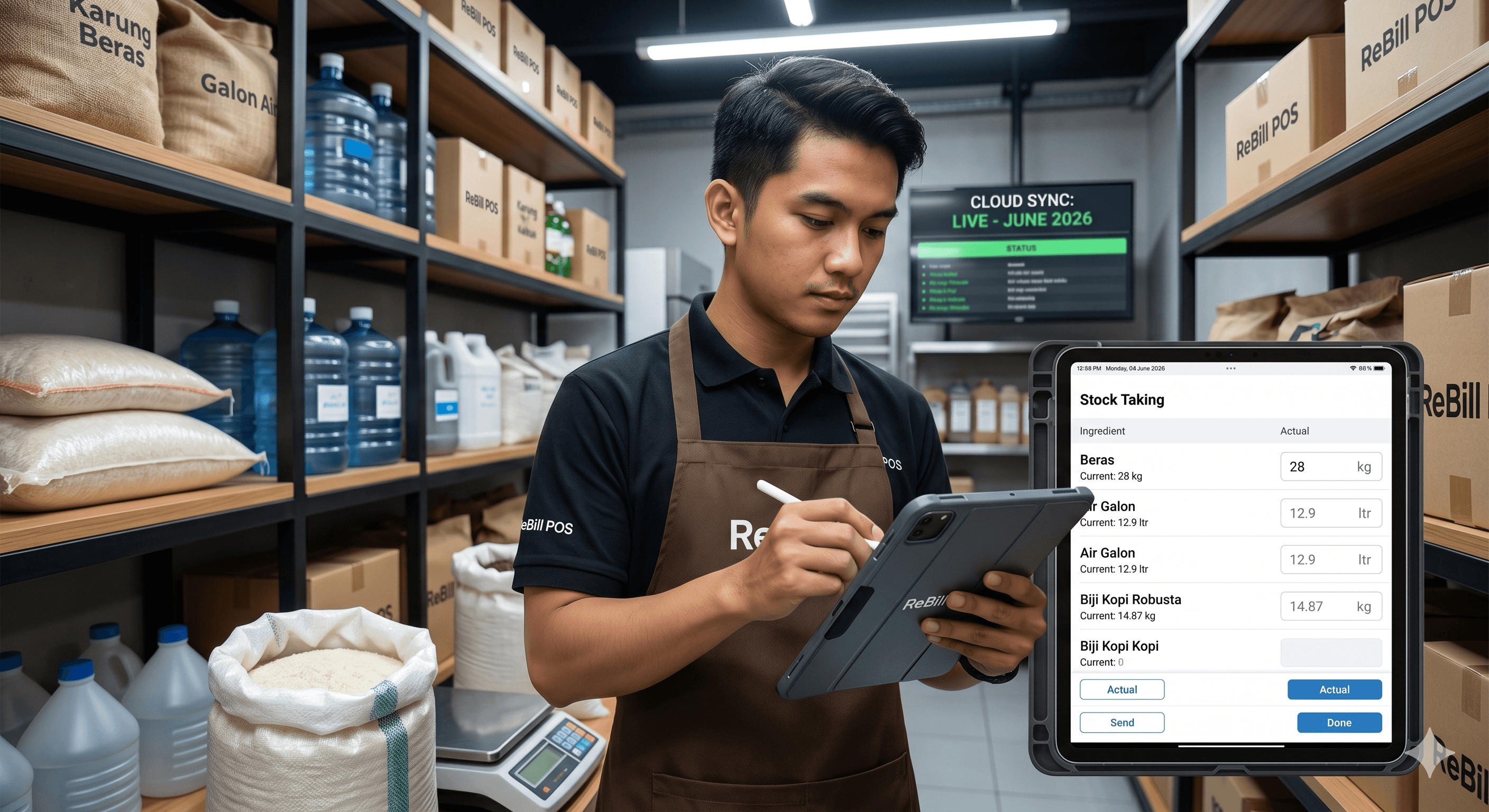
A stock take is the physical verification and counting of merchandise inventory to reconcile the actual stock on hand with the accounting records in your business system.
Fundamentally, the purpose of a stock take in accounting is not only to record goods for sale, but also to track operational company assets. Proper inventory control is crucial so that operating costs do not exceed budgets and business owners can make accurate purchasing decisions in the future.
In a company's standard operating procedure (SOP) for stock counts, there is generally a segregation of duties between the physical counting team (*counters*) and the data input team. To ensure the process is fast and free from *human error*, using technology like *barcode scanners* and Stock Keeping Units (SKUs) is highly recommended. An SKU is a unique code assigned to each retail item (incorporating brand, color, size, and type) that simplifies item identification when reconciled with the system.
---
🎯 Why Must You Do a Stock Take? (Purpose & Benefits)

Conducting regular stock takes aims to determine with absolute certainty whether the physical inventory in the warehouse matches the data in your financial books. If a surplus or deficit is found, businesses must conduct a thorough investigation before issuing an official inventory adjustment report and journal entries.
Based on inventory management guidelines, the reasons why you must conduct a *stock take* include:
- Preventing company losses caused by calculation errors or negligence.
- Knowing the actual quantity of goods currently inside the warehouse.
- Managing and controlling stock movements (inflow and outflow) of the company.
- Internal control to prevent employee fraud and theft in the warehouse or storefront.
- Cost of Goods Sold (COGS) Accuracy: Helping you calculate accurate ending inventory as a valid foundation for calculating COGS.
---
⏳ When is the Ideal Time to Conduct a Stock Take?
The policy regarding the ideal stock take schedule depends heavily on the scale and industry type of your business.
Generally, *stock takes* are performed on an annual, quarterly (every 4 months), tri-annual (every 3 months), or even monthly basis.
- Monthly vs. Weekly/Daily Stock Takes: Large retail stores or wholesalers typically perform monthly or quarterly counts. Meanwhile, for F&B businesses (cafes, restaurants) or perishable goods, inventory checks are frequently done daily or during every shift change.
Many businesses choose to conduct their counts at the beginning or end of the month when the store is closed to minimize the risk of data discrepancies caused by ongoing transactions.
---
🏢 Industry-Specific Stock Take Guides

Every industry has unique inventory challenges. Here is how to apply inventory counting based on your business sector:
1. F&B Business (Cafes, Coffee Shops & Restaurants)
- Challenge: Perishable goods and complex recipes.
- Solution: Learn how to do a stock take for cafes and coffee shops by separating raw ingredients (coffee beans, fresh milk) from packaging (*cups*, straws). Understand how to calculate food cost and inventory usage as well as how to track restaurant food waste so fresh ingredients don't go to waste.
2. Retail & Minimarkets
- Challenge: Thousands of different item SKUs.
- Solution: For retail stores and minimarkets, use the *cycle counting* method so you know how to check stock without closing the store. For clothing and fashion stores, group items by size and color, while for grocery stores, separate consignment items from your primary inventory.
3. Services, Pharmacies & Auto Repair Shops
- Challenge: Items with strict expiration dates or tiny spare parts.
- Solution: Pharmacy stock takes must strictly monitor *batch* numbers and *expiration* dates. Meanwhile, for auto repair shop spare parts, grouping items in labeled metal bins is crucial to prevent small parts from getting misplaced.
---
📋 How to Perform a Stock Take Correctly? (SOP & Stages)
To ensure the process runs smoothly and accurately, follow the Standard Operating Procedure (SOP) across these 3 main stages:
1. Initial Stage
Usually carried out well in advance, roughly one week prior to the *stock take*. The steps include: 1. Instructing the warehouse department to prepare tags/stickers used to mark inventory that has been counted. 2. Instructing warehouse staff to tidy up inventory by arranging it according to item codes and categories. (This also serves as a solution for a messy warehouse during a stock count). 3. Instructing the warehouse department to ensure all inventory is labeled with *barcodes* that match the system program. 4. Instructing the warehouse department to prepare stickers labeled "DO NOT COUNT". These stickers are used for consignment goods, damaged items, or shipments that arrive after the designated *cut-off* time.
2. Preparation Stage
At this stage, the execution day of the *stock take* is imminent (usually carried out on D-1). The required steps: 1. Summoning all teams to conduct a briefing regarding the execution of the *stock take*. 2. Instructing the warehouse department to complete all data entry related to inventory movements up until operational closing hours on D-1. 3. Instructing the warehouse department to freeze all inventory movements starting from operational closing hours until the *stock take* process is completed.
3. Final Stage
The day the *stock take* is executed. The steps that must be carried out are: 1. Double-checking to ensure that all stock-related transactions have been fully entered into the program. 2. Printing inventory types and quantities from the program to serve as a guideline. (Note: This printout should be held strictly by the admin/accounting team; warehouse counters must not know system stock numbers to ensure an objective count). 3. The *stock take* process begins; every item counted is immediately given a tag/sticker to prevent double counting. 4. Every completed count sheet filled with *stock take* results is handed over to the data input team to be transcribed into the system. 5. Once completed, the next step is to re-verify any inventory discrepancies to determine whether they stemmed from miscounting or an actual physical stock difference. 6. Once all processes are finalized, the results are submitted to the *accounting* department to execute a *stock adjustment*.
---
💡 10 Effective Tips for Conducting a Stock Take
If you are just getting started, apply these 10 tips to make your inventory counts fast and seamless:
1. Set a Regular Schedule: Align counts with your business's *low season* or execute them outside of store operating hours. 2. Map Your Products: Label and group similar items together before counting begins. 3. Create a Warehouse Floor Plan: Draw a layout of your storage racks so teams don't waste time searching for item locations. 4. Assign Competent & Honest Staff: Select meticulous team members with good stamina. Separate warehouse staff from physical counting teams for cross-auditing. 5. Label Every Rack or Box: Use color-coding or alphabet identifiers so no boxes are overlooked. 6. Apply FIFO / LIFO Methods: Use the FIFO method during stock takes (First-In, First-Out) so older stock doesn't expire. You can also apply LIFO or average cost inventory depending on your company's accounting policies. 7. Use the *Cycle Counting* Method: Count small subsets of inventory continuously on a daily or weekly schedule. This is significantly less stressful than counting your entire warehouse at the end of the year. 8. Perform a *Double Check*: Re-verify items that show major discrepancies between physical counts and system numbers. 9. Separate Damaged/Dead Stock: Know how to handle *dead stock* or obsolete inventory so it doesn't inflate your inventory valuation. 10. Leverage Integrated Digital/POS Systems: Abandon paper checklists that are easily lost or damaged.
---
🕵️♂️ Troubleshooting: Why Do Stock Counts Always Show Discrepancies?
One of the biggest frustrations for business owners is when stock reports consistently show shrinkage or unexplained surpluses. Here is a breakdown of common causes and solutions:
| Cause of Discrepancy | Impact on Business | Solution & Preventive Action |
|---|---|---|
| Human Error (Miscounting/Typos) | Inaccurate financial statements and incorrect COGS calculations. | Use a *barcode scanner* to scan items instead of typing numbers manually. |
| Employee Fraud (Theft) | Physical stock decreases, causing direct financial losses. | Restrict inventory editing permissions, install security cameras in storage areas, and conduct surprise *internal audits*. |
| Misplaced Items in the Warehouse | Causes negative stock in the system, even though items sit on a different shelf. | Implement strict rack-numbering systems and reorganize warehouse layouts. |
| Unrecorded Spoilage/Damaged Goods | Book inventory value appears artificially higher than physical reality. | Create daily SOPs for logging *waste* and *damaged goods*. |
---
🚀 Ditch Manual Excel, Switch to ReBill POS
Many new entrepreneurs initially search for free Excel stock take templates or sample inventory count sheets. However, as your business grows, the flaws of using Excel for stock counts become painful: formulas break (*errors*), data doesn't update in *real-time*, and files are easily manipulated.
If you want to know the secret to never having negative stock and finishing inventory counts in hours instead of days, it is time to switch to ReBill POS.
As the best cloud-based stock take app of 2026, ReBill POS provides a multi-branch inventory management solution integrated directly with your checkout registers:
- Automated Stock Deductions: Every sales transaction at the register automatically deducts finished goods or raw ingredients (*recipe management* for cafes/restaurants) in *real-time*.
- Integrated Barcode Scanner: Speed up your *stock takes* using dedicated barcode scanners or simply through the smartphone camera on your Android/iOS device.
- Real-Time Multi-Branch Tracking: Monitor stock movements across different warehouses and branches from a single owner *dashboard* without needing to visit each site physically.
- Audit Trails & Access Control: Prevent fraud by restricting which staff members have authorization to perform *stock adjustments*, backed by transparent activity logs.
Don't let stock discrepancies eat away at your business profits. Start using ReBill POS today, and enjoy the ease of managing checkout transactions alongside accurate, neat, and highly efficient warehouse inventory!
---
❓ FAQ (Frequently Asked Questions About Stock Takes)
1. What is the main difference between a *stock take* and a *stock audit*?
A stock take is the routine process of physically counting and checking inventory conducted by your internal team (such as warehouse admins or store staff) to match physical goods with system data.
Meanwhile, a stock audit is typically conducted by external or independent auditors to verify the accuracy of financial statements, evaluate SOP compliance, and assess company inventory management procedures—usually performed at the end of the annual accounting period.
2. What is an acceptable shrinkage allowance for businesses?
The acceptable tolerance limit for inventory differences (*inventory shrinkage allowance*) varies by industry:
- Retail & Minimarkets: Acceptable tolerance ranges between 0.5% and 1% of total inventory.
- F&B Business (Restaurants/Cafes): Because they deal with raw materials that naturally shrink or spoil (*perishables*), the acceptable limit ranges between 1% and a maximum of 2%.
If inventory discrepancies exceed 2%, the company must immediately launch an internal investigation to determine whether fraud, theft, or severe recording system errors occurred.
3. Who is responsible or liable for paying if there is a stock discrepancy?
Operationally, the primary party responsible is the warehouse supervisor or inventory controller. Regarding financial compensation, it depends on the company's specific SOPs:
- If the difference is caused by natural shrinkage or damaged goods within acceptable tolerance limits, the company records it as a write-off expense.
- If proven to be caused by fatal negligence or theft by staff, some companies enforce shared financial deductions from staff salaries or hold the shift staff directly accountable.
4. Can I do a *stock take* without closing my store?
Absolutely! You do not need to shut down your business for days if you implement these two strategies: 1. The *Cycle Counting* Method: Conduct partial inventory counts daily for specific aisles or product categories during slow customer hours. 2. Using an Integrated Cloud POS System: With a modern POS app like ReBill POS, register sales automatically deduct inventory from the system in *real-time*. You can scan items with a *barcode scanner* while your storefront continues serving customers without fearing duplicated or conflicting data.
5. Is Excel still relevant for *stock takes* today?
For micro-scale startups managing fewer than 50 *SKUs*, free spreadsheets or Excel templates are still manageable.
However, when daily transaction volume grows and you expand to multiple branches, Excel carries fatal vulnerabilities: formulas break easily, files don't sync automatically across devices, and records can be altered effortlessly by dishonest staff. Upgrading to a cloud-based inventory software (like ReBill POS) is the best investment to keep your business assets secure.