How to Turn an Android Phone into an Advanced POS Cash Register (Low Cost, High Profit)
Read Also: How to Check Store Sales Reports Remotely (Even While on Vacation!)
Are you a new business owner who wants to look professional without having to spend millions of rupiah? Many beginner entrepreneurs are confused about finding a cheap POS solution for SMEs. The good news is, you do not need to buy expensive computer hardware. You can apply the method of turning your Android phone into an advanced POS cash register with minimal capital.
For those of you looking for an Android POS app guide, this article will thoroughly uncover the secret of how to make your phone a cost-effective cash register, complete with capital comparisons, required devices, and recommendations for the best mobile POS apps in 2026.
Why Should You Turn Your Phone into a POS Register? (Cost Comparison)
Read Also: How to Easily Connect a Bluetooth Printer to a Tablet (Hassle-Free & Smooth)
One of the biggest reasons business owners look for a low-capital POS machine is efficiency. Let's look at the cost comparison between a traditional cash register (PC computer) and an Android phone POS machine.
The table below proves why using an Android phone for a cash register is the smartest choice for grocery stores, food stalls, to coffee shops.
| Hardware Needs | Traditional PC Cash Register | Android Phone POS Register (Low Capital) |
|---|---|---|
| Main Device | Computer / PC / Monitor (Rp 4,000,000+) | Android Phone / Tablet (Can use personal phone – Rp 0) |
| App / Software | Desktop Software License (Rp 1,500,000) | Download Android POS app (Cheap subscription / Free trial) |
| Receipt Printer | Large USB Thermal Printer (Rp 800,000) | Android Bluetooth POS Printer (Rp 150,000 – Rp 300,000) |
| Cash Storage | Cash Drawer for PC (Rp 400,000) | Automatic Android Phone Cash Drawer (Optional – Rp 250,000) |
| Additional Accessories | Special cashier desk (Rp 1,000,000) | Aesthetic phone cashier stand (Rp 50,000) |
| Estimated Total | More than Rp 7,700,000 | Starts from only Rp 200,000! |
Conclusion: With a cheap Android POS package, you can already have an Android POS system just like a big franchise business!
3 Easy Steps: How to Make Your Phone a POS Register
Read Also: Complete Guide to Warehouse Stock Opname: SOPs, Steps, & Report Examples
To create a cheap POS machine, you only need to follow these three simple steps. This method applies to all types of businesses, whether you need a mobile POS app for a small cafe, clothing store, barbershop, or an Android POS app for bazaars.
1. Prepare Additional Hardware (Hardware Setup)
You don't need a computer. Just use a regular phone as a POS machine. For optimal results, prepare the following supporting hardware:
Bluetooth Thermal Printer: This is the key to printing receipts from an Android phone. Search on marketplaces with the keyword "Android phone POS printer".
Phone Cashier Stand: So your phone can stand firmly on the cashier desk and look professional.
Optional: If you have extra budget, you can add a Bluetooth phone barcode scanner and a cash drawer.
2. Choose the Right Android POS Software
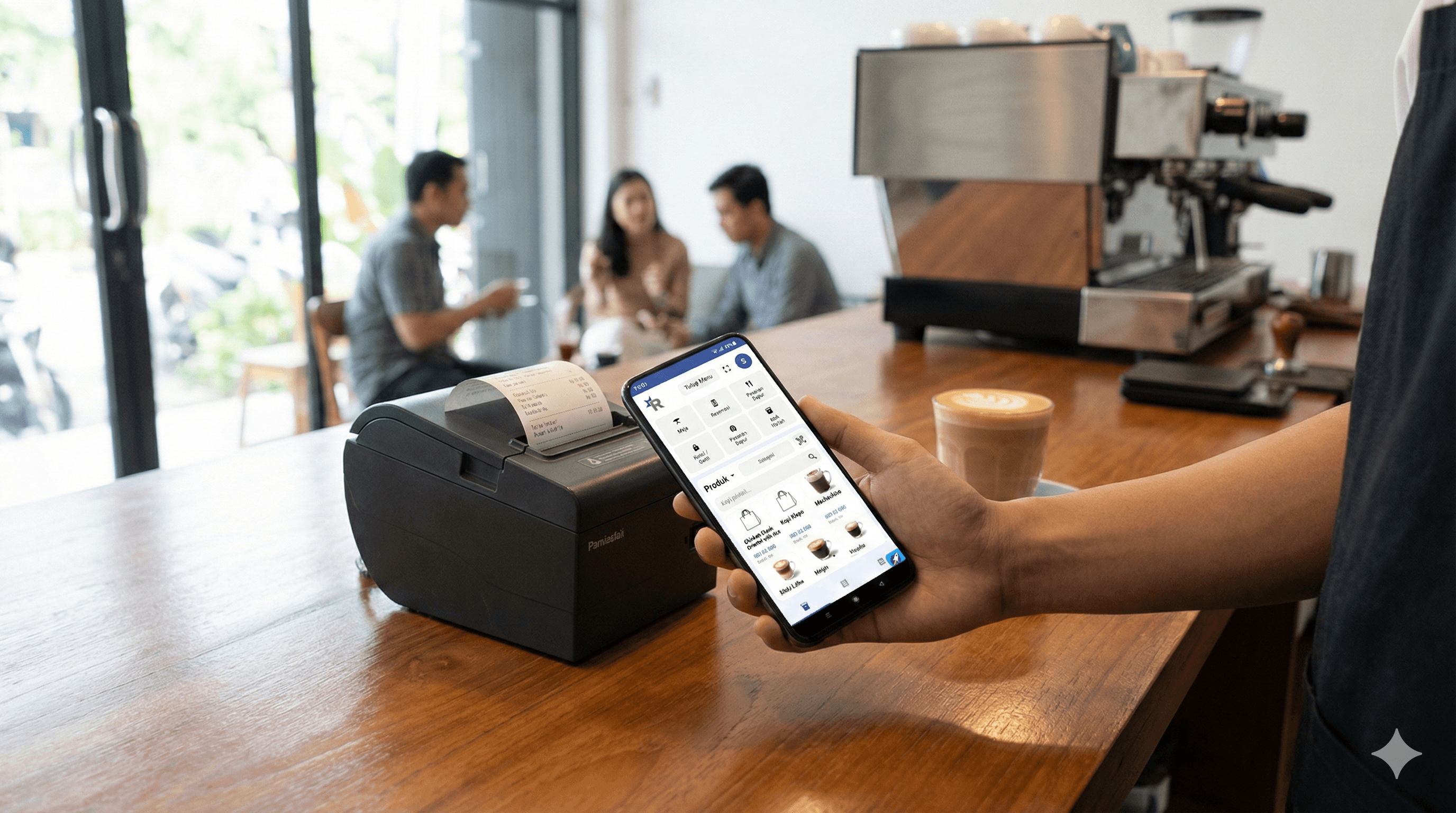
Having a smart phone and a Bluetooth printer is useless without the right program. Avoid pirated apps. You need a mobile POS app that is lightweight, secure, and feature-rich. Here is the secret behind a successful Android POS system: using ReBill POS.
As the best mobile POS app, ReBill POS Android is the answer for those of you looking for an Android POS app with accurate inventory management. Whether you are looking for a mobile POS app for a food stall or an Android POS for a food truck, ReBill is specifically designed to meet SME needs with very pocket-friendly subscription prices.
3. Connect and Start Selling After you download ReBill POS, here is the final mobile POS machine tutorial:
- Open the Bluetooth settings on your phone.
- Pair it with your Bluetooth thermal printer.
- Open the ReBill mobile POS app, go to the printer settings menu, and select your printer's name.
- Enter your menu or merchandise into the system.
Done! You have practiced how to print a POS receipt via phone Bluetooth and are ready to serve customers.
Advantages of Using ReBill POS on Your Android Phone
Read Also: How to Set Tax & Service Charge on Receipts (To Avoid Tax Fines)
Why are ReBill POS mobile app reviews always positive among SME entrepreneurs? Because ReBill is not just a cheap Android POS app, but a smart Android Point of Sale that helps you get "High Profit".
Here are the excellent features you can enjoy right from the palm of your hand:
Real-Time Inventory Management: This inventory mobile POS app will automatically deduct stock every time an item is sold.
Automated Financial Reports: Forget manual notebooks. This daily report mobile POS records every penny that comes in detail.
Specific F&B & Retail Features: There is a split bill feature for cafes, up to customer debt recording for grocery stores.
Print & Send Digital Receipts: Besides physical printing, ReBill is also a POS app that can send receipts via WhatsApp. Very paper-saving!
Conclusion
Turn your Android tablet into a POS machine or use your old phone right now. By combining cheap hardware and the robustness of the ReBill POS system, you have successfully created a low-cost SME POS machine with top-tier features.
Don't delay your business success.
Try the ReBill POS Free Demo Now and feel the difference yourself. If you are comfortable and want the ReBill App in your business, you can contact ReBill POS.